01
Start with your courts and schedule.
Add venues and courts, opening hours, prices, booking lengths and cancellation rules. Staff see the day by court, create and move bookings, mark visits and close times for maintenance.


RAQETO · Clubs
Court schedules, online booking and client work in Raqeto Club. Staff manage bookings and record payments made outside the app. Owners choose access rights and the modules their club needs.
Online booking does not include card payments. Staff record payments completed outside the app.
Padel 1 · Padel 2 · Tennis
RAQETO CLUB
The owner or a club representative connects the club in Raqeto Club on their own. You can set everything up while the club is a draft; players will see it after verification.
Open crm.raqeto.app and sign in with an email code, Google or Telegram. An account is created at first sign-in. You can also start in the Raqeto app: Profile → Clubs → Club.
Select “Create club” and complete three short steps: the name and description, booking rules, then the first venue with its courts, hourly prices and opening hours. You become the club owner.
Players do not see a draft yet. Add the address, more venues and courts, choose modules and add staff with their permissions. Staff can already record bookings in the schedule.
In the club settings, open Club verification and choose how to confirm your connection to the club: club email, public phone number, website or documents. Only the owner can submit the request.
A platform administrator reviews the request; the status updates automatically. If it is rejected, you see the reason and can resubmit. Once published, the club appears in the catalogue with a booking link and QR code, and tournaments and training sessions become available.
RAQETO CLUB
Leave a request and the Raqeto team will contact you: we will answer your questions and help set up the club.
Thank you! Your request has been sent. We will reply using the contact you provided.
The request was not sent. Check that the required fields and at least one contact are filled in and try again in a few minutes, or write to support@raqeto.app.
Add venues and courts, opening hours, prices, booking lengths and cancellation rules. Staff see the day by court, create and move bookings, mark visits and close times for maintenance.
A published club has a public page and a booking QR code. Share them on your website, social accounts or reception desk. Players can check available times before signing in to book. Player booking must be enabled; the slot and price are checked again.
Create weekly booking series and packages of dates. Move or cancel one booking while keeping the others. Staff can book for guests without an account. Client cards bring together available contacts, notes, history and future games, subject to access permissions.
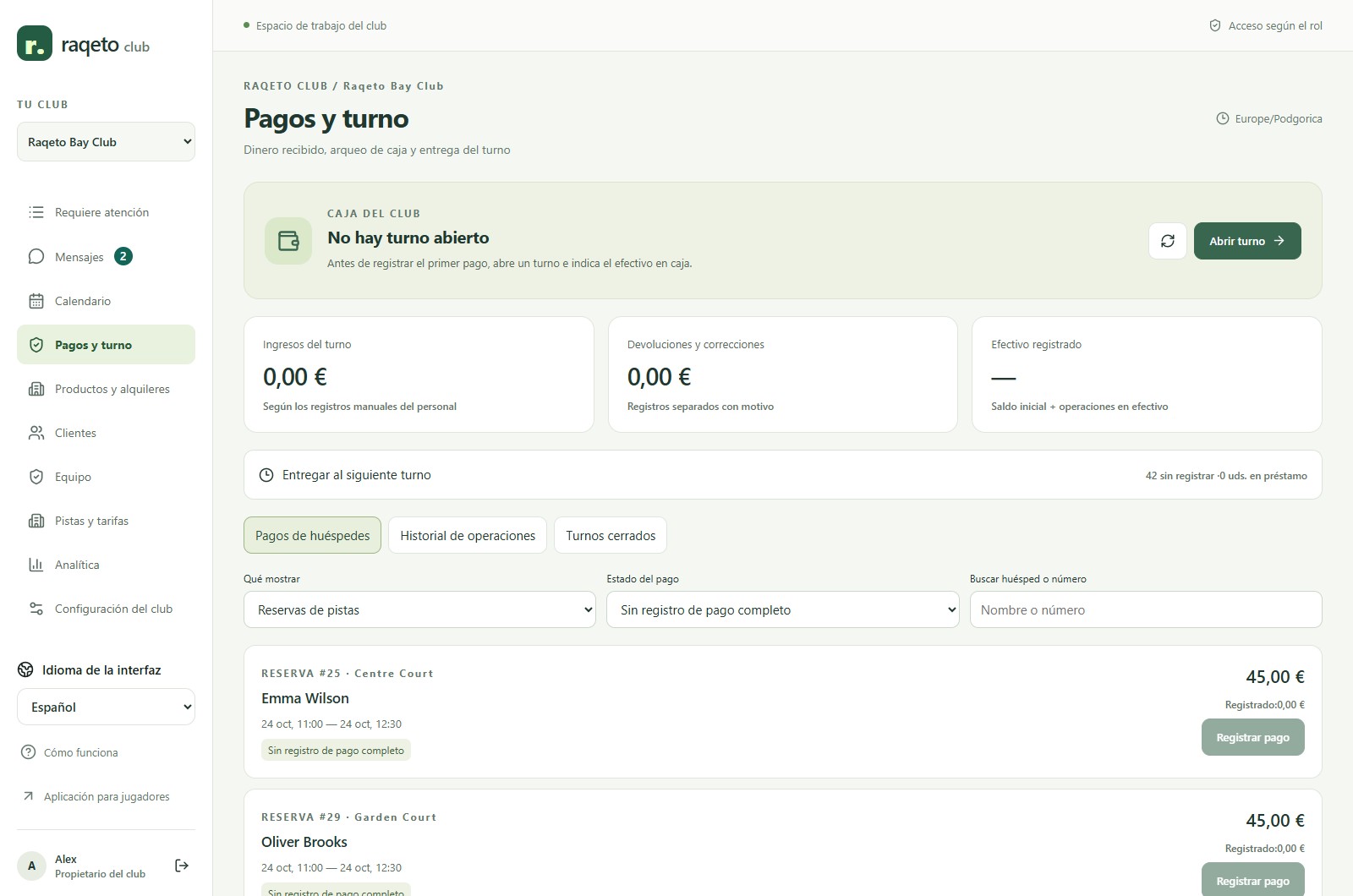
Register payments completed by cash, terminal, transfer or another method. The journal keeps operations, corrections and refunds. With shifts enabled, staff reconcile cash and keep handover totals. Cancelling a booking does not return money automatically.
Manage stock and rental items, create orders and link them to bookings. Follow stock levels, equipment issued and returns.
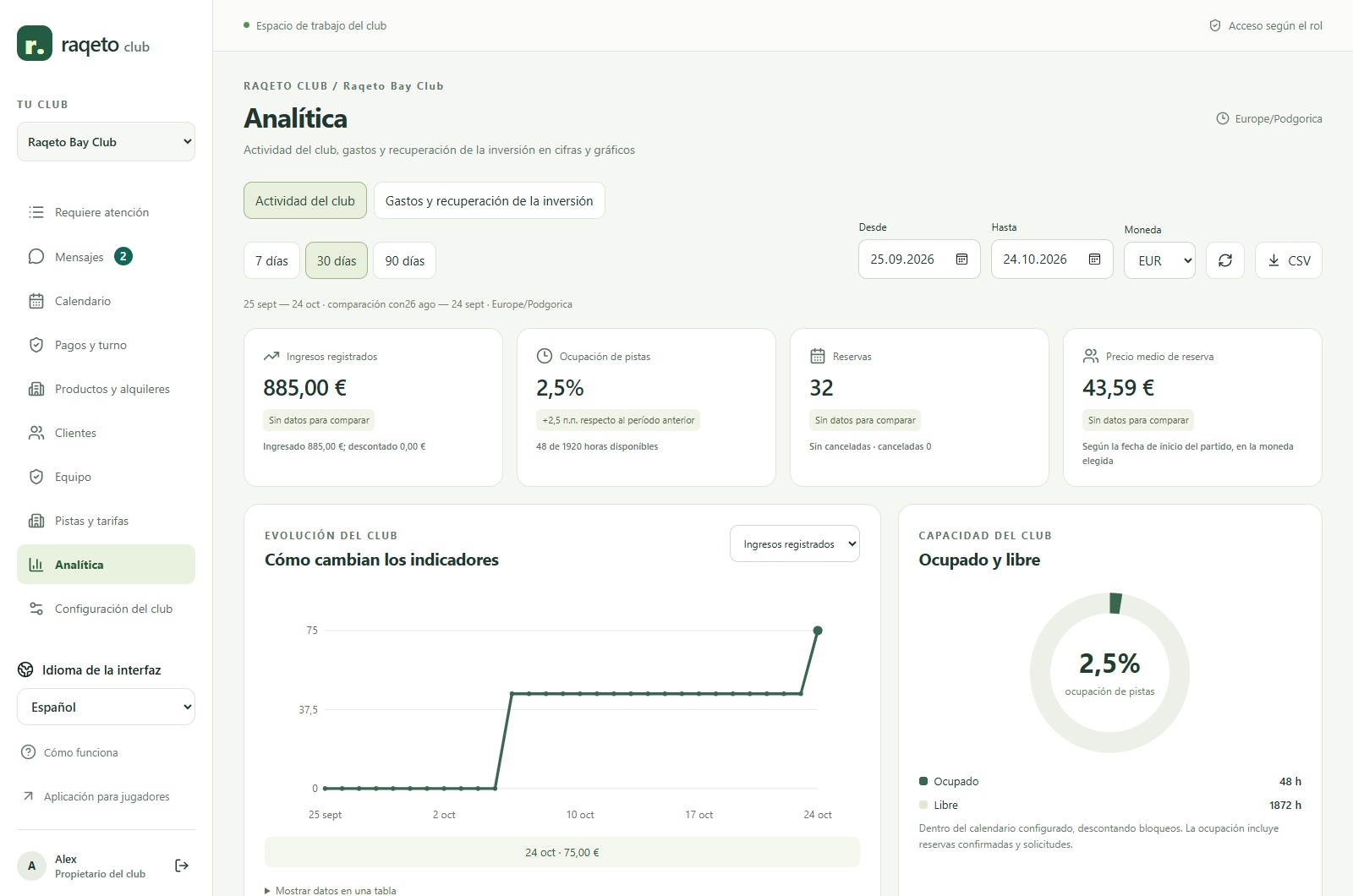
Review court use, bookings and recorded receipts. Enter expenses and investments, compare periods and export data to CSV. Reports reflect the data entered and support management; they do not replace accounting statements.
The owner can switch shifts, messages, goods and rentals, analytics, expenses and the attention list on or off. A small-club preset keeps the interface focused. Staff permissions remain separate and switching a module off does not erase its history.
RAQETO CLUB
Manage padel and tennis court schedules, bookings, clients and staff. Record payments and add rentals, shifts and analytics with Raqeto Club.
Open CRM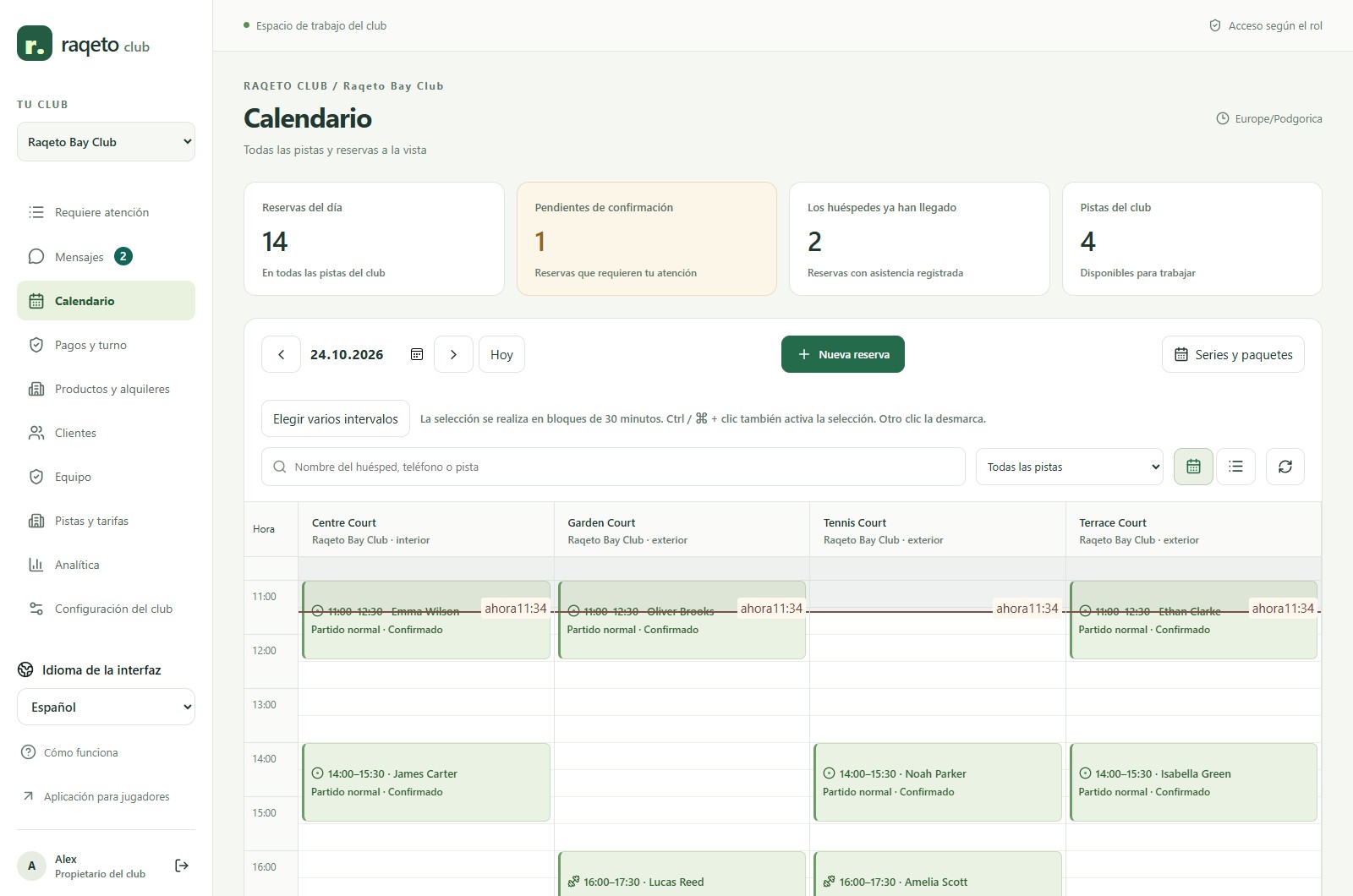
RAQETO
Yes. Tennis courts and bookings are supported. Padel tournament and rating features are described separately.
Yes. Staff can create guest bookings and work with them in the CRM.
Not currently. Raqeto records payments completed outside the application; card processing and splitting the court bill are not included.
No. Owners can choose the modules the club needs. Switching one off keeps the recorded history.
No. A new club starts as a draft and is reviewed by a platform administrator before publication.